

- Understanding WooCommerce Price Filters
- How Price Filters Impact SEO
- Implementing WooCommerce Price Filters Correctly
- Choosing the Right Price Filter Plugin
- Advanced Tips to Boost SEO with Price Filters
- Common SEO Mistakes with WooCommerce Price Filters
- Integrating Price Filters with Marketing Strategies
- Tracking and Measuring SEO Impact
- Conclusion
Can price filters improve your online store’s SEO?
Ever thought a tiny little filter could change your SEO? Probably not. Most store owners think SEO is all about meta tags, backlinks, and content. But there’s a secret weapon hiding in your WooCommerce store: the price filter.
Picture this: a shopper comes looking for a jacket under $100. They scroll. They scroll. Annoyed. Then, they see your price filter. They click $50–$100. Instantly, the products appear. They click. They stay. They browse more. Google notices. Longer sessions, lower bounce. That’s the stuff that makes your pages more visible.
In this guide, I’ll show you how price filters can boost your SEO, the right way to implement them, mistakes to avoid, and how the Best Price Guaranteed Plugin can make your filtered pages even more effective.
Understanding WooCommerce Price Filters
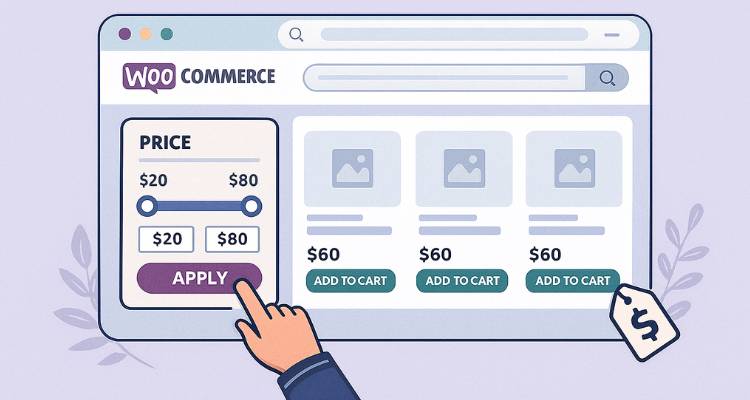
Price filters are like magic. They save your shoppers’ time. Seriously. They don’t want to scroll through hundreds of products. They want what fits their budget. Shoes between $50–$100. Jackets under $200. Done.
But here’s the twist: price filters can also help SEO. Every filter combination can create a unique URL. That’s extra pages for Google to crawl. More chances to show up in search results. For instance, /shoes/?price=50-100 can appear for “running shoes under $100.”
Without filters, shoppers leave. Bounce rates rise. Engagement drops. With filters, they explore. Click. Stay. Buy. That behavior indirectly improves your SEO.
How Price Filters Impact SEO
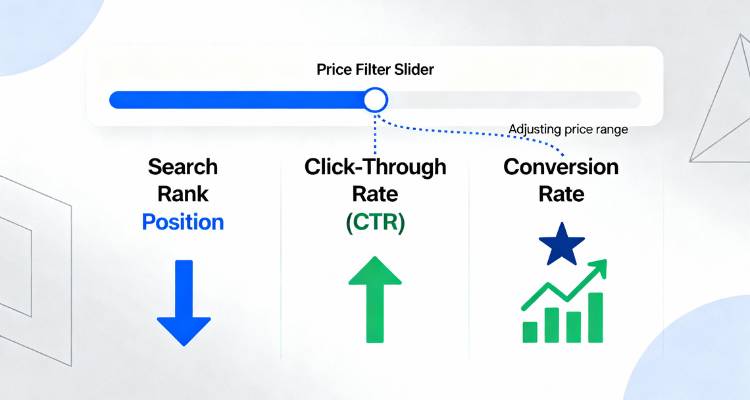
Price filters aren’t a ranking factor themselves. But they affect the things Google actually cares about: user engagement, crawlability, and relevance.
1. User Engagement
Think about it. A visitor finds products in their budget instantly. They don’t leave frustrated. They browse. Click. Add to cart. Google sees this as positive.
Without filters? They leave. Bounce rate spikes. Rankings dip. Small UX tweaks like price filters can make a huge difference.
2. Crawlable URLs
Filtered pages generate unique URLs. Google indexes them. That gives your site more entry points. You can rank for “men’s jackets under $150” or “affordable leather shoes.”
Clean URLs are crucial. Messy query strings like ?filter=123&price=abc confuse search engines. Keep it readable. Keep it simple.
3. Internal Linking
Price filters create natural links. Google follows these links to more pages. Products that were buried get visibility. Pages get discovered faster. Your site spreads ranking power.
4. Rich Snippets and Schema Markup
Some plugins automatically add structured data. Filtered pages can display prices, availability, and ratings in search results. This increases clicks. More clicks = more traffic. More engagement = better SEO signals.
Implementing WooCommerce Price Filters Correctly
It’s not just about adding a filter widget. Implementation matters. Mess it up and it can hurt SEO.
1. Use SEO-Friendly URLs
Readable URLs are king. /category/shoes/price-50-100/ beats ?filter=123&price=abc every time. Search engines prefer them. Users trust them.
Many WooCommerce filter plugins let you rewrite URLs. Always do it. Clean URLs improve indexing and sharing.
2. Avoid Duplicate Content
Filtered pages often show the same products as category pages. Without canonical tags, Google might see it as duplicate content.
Canonical tags tell search engines which page is primary. The others are fine for users. Skip this step, and SEO suffers.
3. Optimize Filtered Pages
Even if filtered pages don’t have much unique content, optimization helps.
- Titles: “Running Shoes Between $50 and $100 – Your Store Name”
- Meta descriptions: “Discover our top running shoes under $100. Fast shipping. Best deals.”
- H1 tags: Reflect the filter naturally
This helps Google understand what the page is about.
4. Add Internal Links
Link filtered pages from category pages or blogs. This spreads ranking power and helps Google crawl new pages faster.
5. Monitor Performance
Filtered pages are not “set it and forget it.” Track traffic, clicks, and engagement. Optimize what works. Adjust what doesn’t. Over time, it can significantly improve SEO.
Choosing the Right Price Filter Plugin
Not all plugins are equal. Some create messy URLs. Some slow your site down. Some ignore SEO basics. Pick wisely.
Look for plugins that:
- Generate clean, readable URLs
- Add canonical tags to filtered pages
- Include schema markup for products
- Offer AJAX filtering for speed
- Integrate smoothly with caching plugins
Tools like the Best Price Guaranteed Plugin also build trust. Shoppers feel confident they’re getting the best deal. Clicks and engagement go up. Google notices that.

Advanced Tips to Boost SEO with Price Filters
Want to go beyond basic setup? Let’s dive deeper.
1. Combine Filters with Content
Write blog posts targeting price ranges. “Top Running Shoes Under $100.” Link directly to the filtered page. Google sees relevance. Shoppers find what they want. Traffic grows.
2. Use Faceted Navigation Wisely
Faceted navigation = multiple filter combos. Price, color, brand, size. Great for users. But too many combos = thousands of URLs. Google can’t handle all of them.
Use “noindex” for less important combos. Focus on high-value filtered pages for SEO.
3. Optimize for Mobile
Mobile shoppers rule e-commerce. Your filter must be fast and easy to use on phones. Frustration kills conversions and hurts SEO. Smooth experience = happy users = better rankings.
4. Test Filter Performance
Not all price ranges perform equally. Track clicks and conversions. Highlight popular ranges in your UI. Link to them in blogs. Small tweaks, big results.
5. Leverage Structured Data
Add Product and Offer schema to filtered pages. Prices can show in search results. Rich snippets boost CTR. More clicks = positive SEO signals.

Common SEO Mistakes with WooCommerce Price Filters
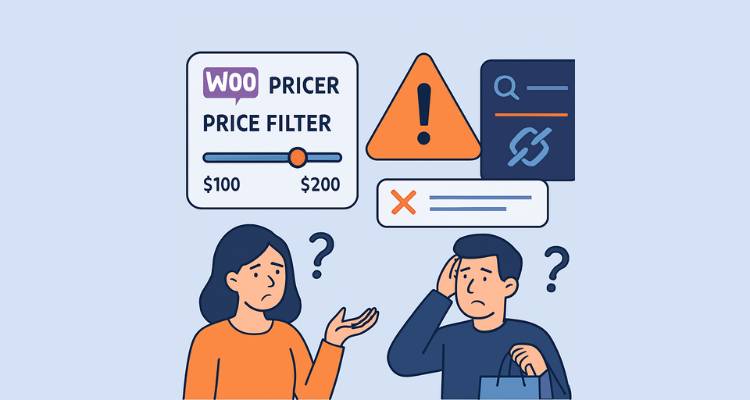
Even pros mess up. Watch out for:
- Forgetting canonical tags → duplicate content penalties
- Indexing every filter combo → search engines get overwhelmed
- Slow AJAX filters → poor UX, lower rankings
- Ignoring titles/meta → filtered pages remain invisible
Small mistakes. Big consequences.
Integrating Price Filters with Marketing Strategies
Filters aren’t just for SEO. They’re marketing gold too.
1. Promotions and Sales
Filtered pages highlighting discounts attract buyers. Combine with urgency. “Only 3 left under $50!” Boom. Higher clicks. Better conversions.
2. Retargeting
Visitors to filtered pages can be retargeted. Ads show products in the price range they liked. Conversions rise.
3. Email Campaigns
Include filtered page links in newsletters. “Top Products Under $50.” Drives traffic. Boosts engagement.
4. Trust Signals
Trust plugins like the Best Price Guaranteed Plugin reassure buyers. People click, stay longer, explore more. That engagement feeds SEO.

Tracking and Measuring SEO Impact
Numbers tell the real story.
- Google Analytics: Track how filtered pages perform
- Bounce rates: Lower = good
- Indexing: Search Console confirms which pages are live
- Conversions: Filtered pages should sell. If not, tweak UX or content
Track, tweak, repeat. SEO is never one-and-done.
Conclusion
Here’s the takeaway. Price filters aren’t just a nice feature. They’re SEO tools hiding in plain sight.
Done right, they:
- Improve engagement
- Generate indexable pages
- Boost conversions
- Support marketing campaigns
Combine them with smart plugins like the Best Price Guaranteed Plugin. Highlight popular ranges. Track performance. Optimize continuously.
A small filter can transform a WooCommerce store. It’s subtle. Not flashy. But it works. Small effort. Big payoff.

Inam Ullah Dar
Motif CreativesInam Ullah Dar is a content writer by passion and profession. He started his journey with Motif Creatives. He primarily writes for guest post articles falling under various niches. The main area of his interest and expertise is Web design & Digital marketing. He enjoys reading and writing about healthcare, mindfulness, and well-being to educate people about being happier and lively. His work has been published on many high-authority websites. He believes that writing is an effective way to communicate at better levels.